How to track your comics progress with one line of code.
People keep asking what app I use for my website progress bars. It's pretty simple and I think every cartoonist might benefit from having them.

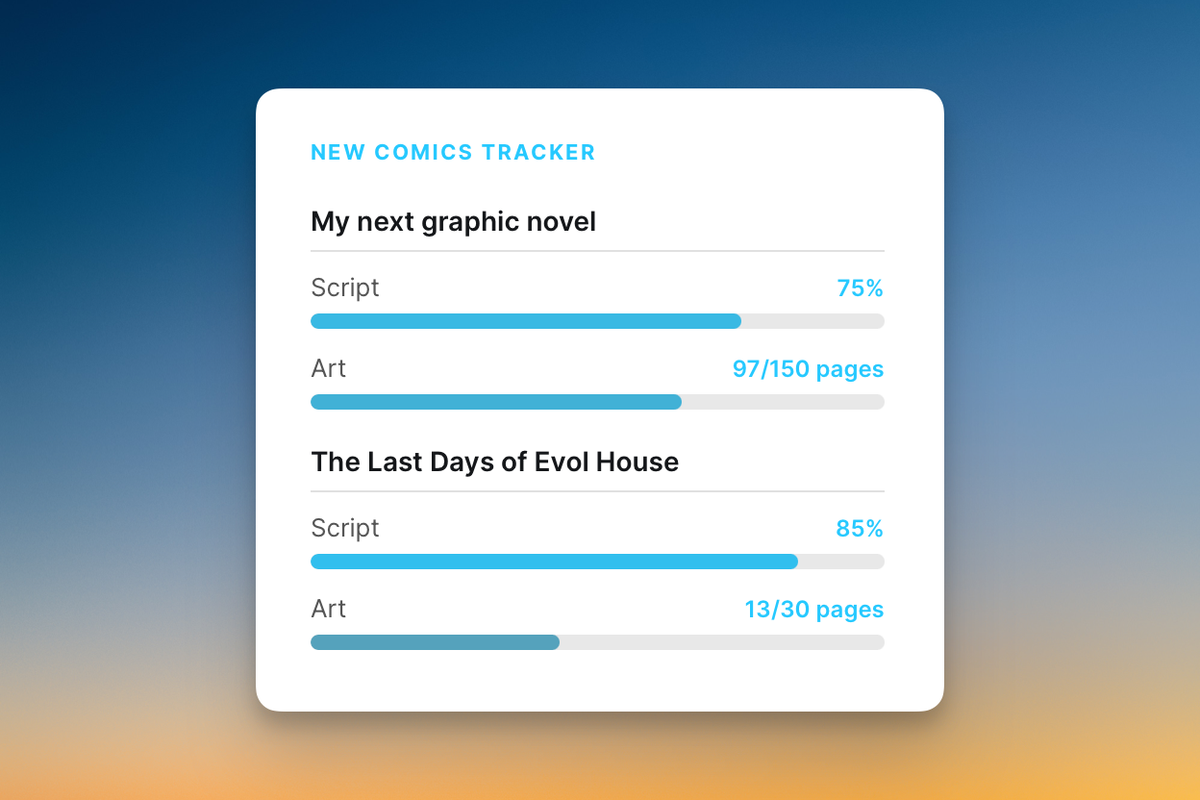
When I posted the above tracker to social media a bit ago people kept asking what app I was using. When I'd tell them it's just code, I could feel their interest drain away. Oh. Code. Never mind.
I get it. But since people asked, and it's SO simple, I want to show you how you can do the same if you want. Here's everything you need for a progress tracking bar on your own site:
<progress value="31" max="120"></progress>
That's it. And here's all you need to know about that line:
<progress value="31" max="120"></progress>
- value is how many pages you've done.
- max is the total number of pages in the project.
That's it! You copy and paste that code into any website that takes HTML, edit the numbers and it will render like this:
Why bother?
Comics take anywhere from weeks to years to make. Readers often have no idea whether you're actively working on something or whether the project quietly died. A progress bar says: yes, this is real, this is happening. That might be just enough to tip someone toward signing up for your newsletter or following your social media, because they know there really is something coming.
Also, it genuinely feels good. Every day when I finish a page, what I want to do is show everyone like a little kid who's proud of the drawing he just made. But I know that's not the best way for folks to read my comics. So what I get to do is log into my site and bump that number up, even just slightly, and it feels great.
During the pandemic I got into the habit of screenshotting the progress bars once a week and replying to the same thread on twitter, so anyone who found my most recent update could scroll back and watch the months of steady progress.
The catch.
The trick, for me, is when do you mark something done? My process involves constant revision. Even "finished" pages sometimes get cut, two get condensed into one, or have their dialogue changed months after the art is drawn. So when exactly do I get to increment the bar?
That means when I hit 100%, the book is full of pages that could be seen by readers and I'd be roughly okay with that. Has the pre-press process been done? No. Might the dialogue change? Sure? Are all the edits complete? Nope! But if I had to print it as is right now I could do that. That means all the work that gets done after that is icing. It also lessens the demoralizing situation of having to go back and lower the progress bar, which is a terrible feeling.
Come up with whatever metric makes sense for your process. Just make sure you have one beforehand and stick to it.
Sharing it on social media
My favorite tool for turning my progress bar into a social media post is CleanShot X, a Mac screenshot app that lets you, in just a couple clicks, drop your image into a nice frame and export in whatever dimensions you need. It makes the whole thing look intentional instead of like a raw browser window.
How I share my progress bars on social media.
You don't have to do it in HTML
As easy as it is to write that line of code above, you can also build a spreadsheet with built-in progress tracking and screenshot that. You could find a plugin for your CMS. You could design something in Figma and upload a static image. There are a million ways to do this.
But if you want the absolute minimum viable version: one line of HTML, pasted wherever your site accepts it, is enough.
However you do it, I recommend it. It gives people a little window into your work, especially when you can't show them the pages yet and every update feels like it's just "yep, drew another one, same as yesterday". It makes the long quiet stretch of making a book feel a little less invisible.
Besides, having a little patch of interent that's just yours is nice, and having a progress bar you can increment on it feels like doing a little tending.
It's nice.