I built a robot to fix my comic lettering.
I write my comics in Fountain, but pasting into Clip Studio brings all the markdown with it—asterisks, underscores, everything. Plus there's this comic lettering convention about uppercase vs lowercase I that I was fixing manually. So I built a macro that handles both. Free download.

For years I've had an extremely niche problem. A problem that, if you're a cartoonist, you might have had too. I've just recently solved it and I thought I'd share the solve. Even if this isn't of use to you, I'd love it if cartoonists thought and talked more about how we might automate little annoying parts of our process.
I write all of my comic scripts in plain text. Not in Word. Not in Scrivener. Just plain text files using a format called Fountain—basically markdown for screenplays. Asterisks around words make them italic, double asterisks make them bold. It's simple and I love it.
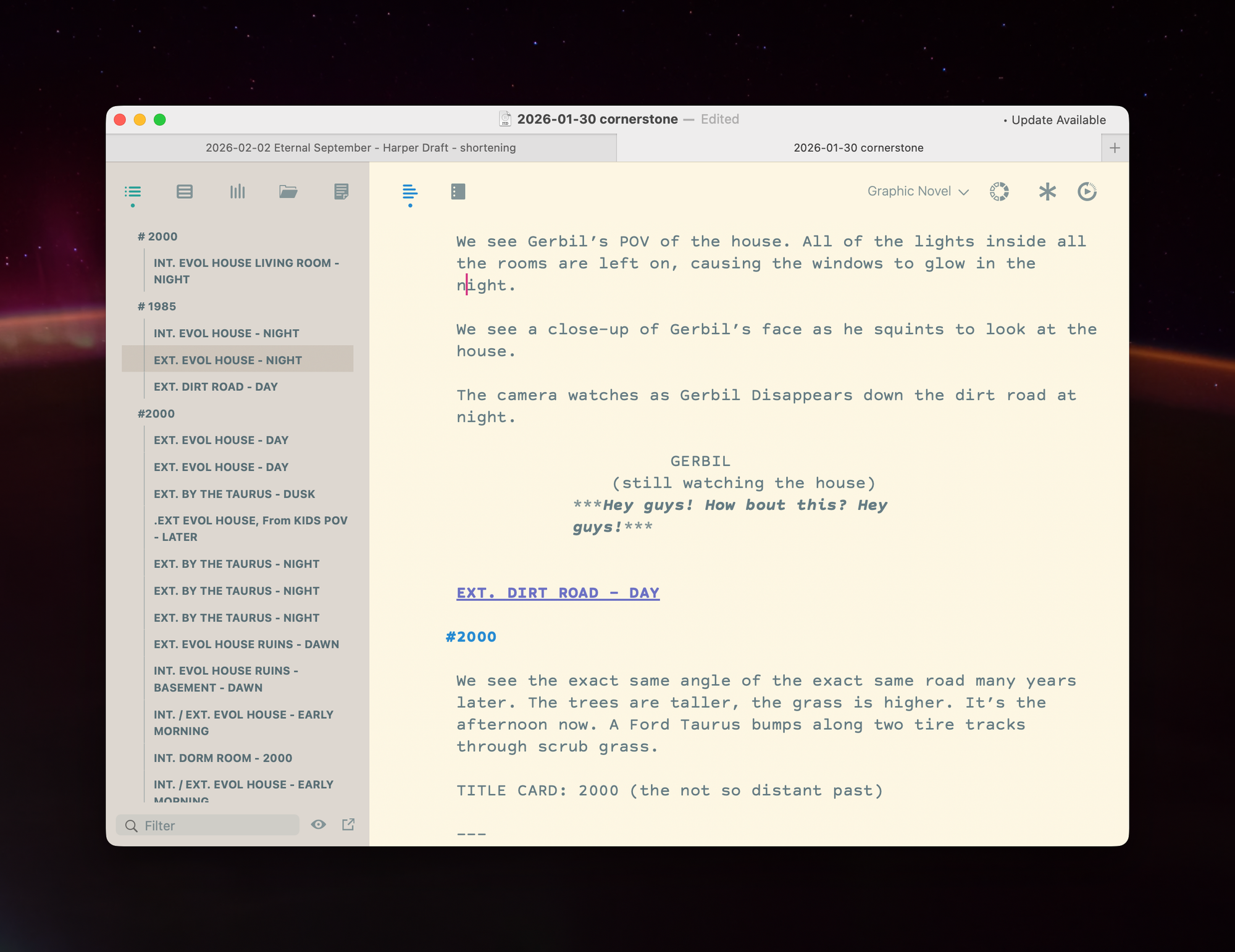
I do most of my writing in Highland, but, because it just uses plain text, I'm not locked in. I can open the same file anywhere. Obsidian. TextEdit. Literally any text editor. My scripts are just text files, which means I can open them twenty years from now and they'll still work.
This matters to me. Programs change over time, programs stop being developed. I'm literally keeping a more than a decade old MacBook Air in a closet because it's the only machine I have that runs an outdated version of Clip Studio that I drew an old graphic novel in once and I want to still have access to those original files. Writing in plain text means I always will have access to at least my scripts. I've lost work to dead file formats before.
But there's a problem when I'm lettering.
I copy dialogue from my Fountain scripts and paste it into Clip Studio Paint, and all the formatting marks come with it. If I write this in my screenplay:
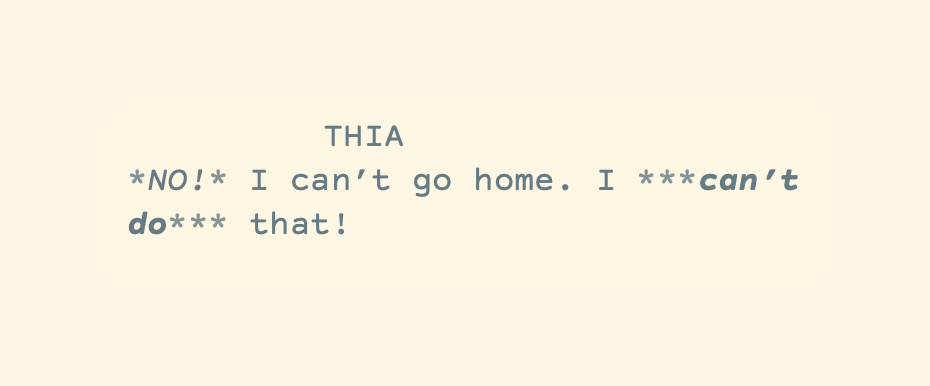
It renders as this when I preview it in my screenwriting app, which is perfect.
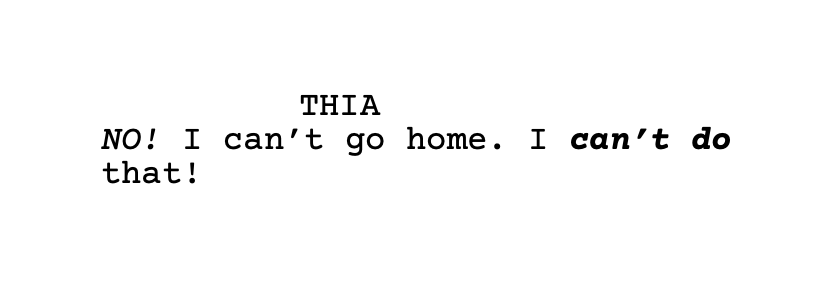
But if I copy and paste that into Clip Studio, the program I draw and letter my comics in, I get this.
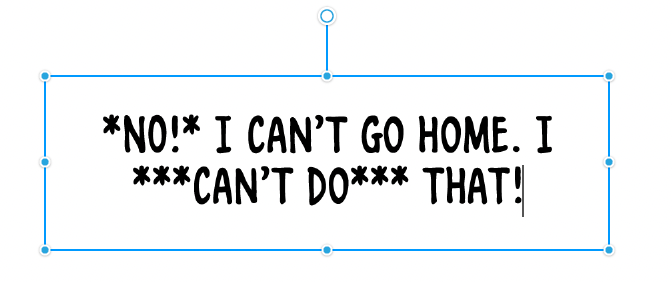
So I have to manually delete all the markup, every single time.
For years it's been a constant little needle in my side.
So I automated it with Keyboard Maestro—a very nerdy but absolutely wonderful Mac automation app that lets you create custom workflows to do all kinds of things. I made a macro that triggers when I use the keyboard shortcut for "Paste" (⌘V) but only when I'm in Clip Studio and strips out all the Fountain formatting before it hits the page.
*italic* becomes italic. **bold** becomes bold. But only in Clip Studio, so everywhere else my formatting stays intact.
I added one more thing.
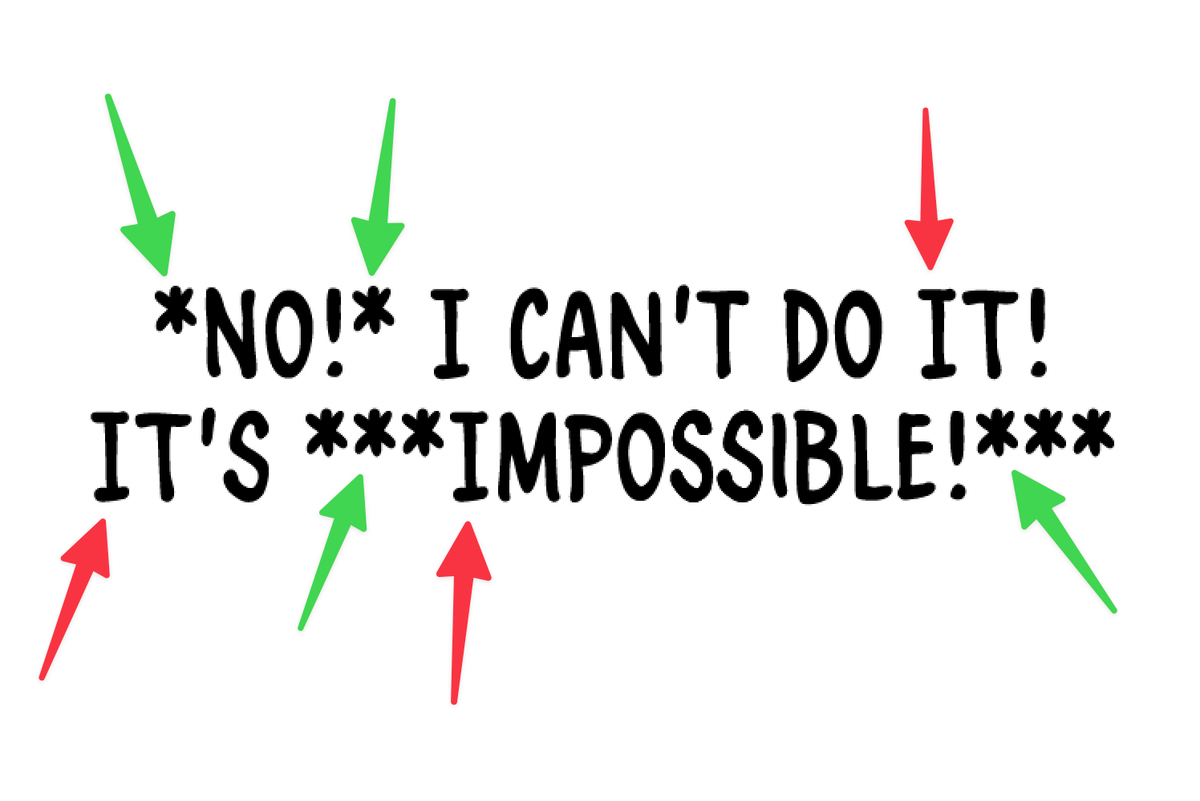
Comic lettering has this convention about the letter I. People consider it more correct to only use serifs on a letter "I" when it's used in pronouns like "I'm", "I've", Or "I think" and never, for example, at the start of sentences. So this would be correct:
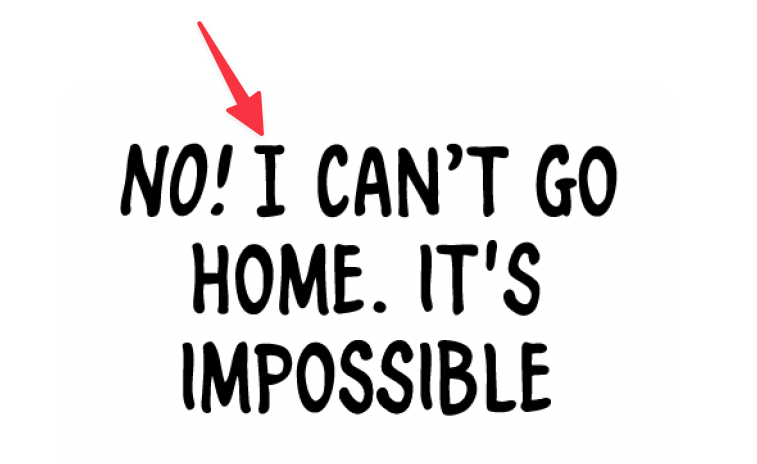
Whereas this is not correct:
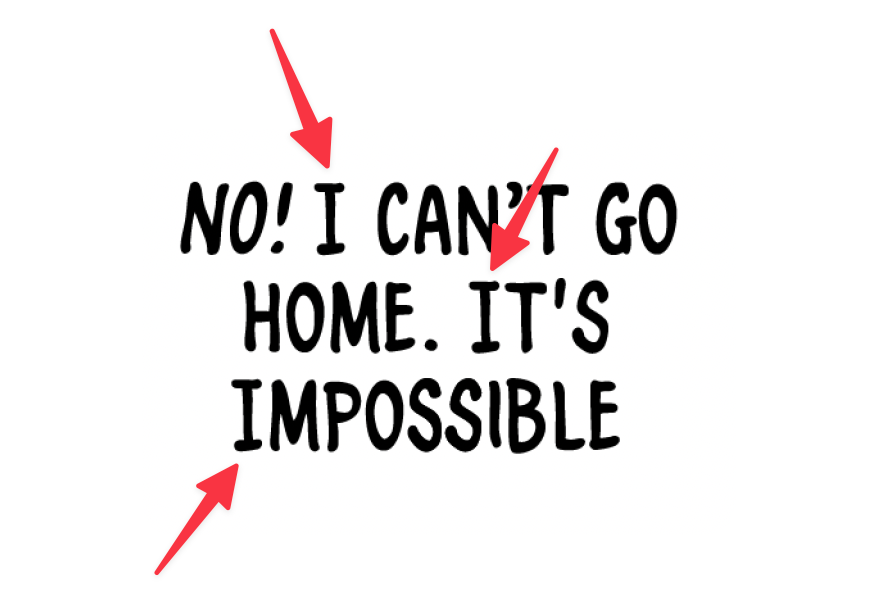
The first time I heard about this guideline, I thought to myself, "Oh, that's stupid. Who cares?" And then every other time I've looked at a book in which I've made this choice, I've thought to myself, "Oh, damn it. I wish I knew about this earlier."
Many comic fonts, including the one I use, add serifs to the uppercase "I" but not lowercase "i".
I've been manually fixing this for years. Scanning every paste for "It" and "In" and changing them to "it" and "in."
The macro handles it now. It converts all I's to lowercase except pronouns. "I'm" stays "I'm." "I think" stays "I think." But "It was cold" becomes "it was cold."
Kind of miraculous.
If you want this magic too I'm sharing the macro above.
To install: Download the file, Open Keyboard Maestro → File → Import Macros → select the downloaded file. It'll be disabled by default—click the checkmark to enable it.
That's it. One less thing to think about while lettering.
If this macro saves you even five minutes a week, that's hours over the course of a project. Are you a cartoonist who's automated repetitive tasks in your workflow? I would love to know about it—I love hearing about other creators' processes. Comment here, or on Bluesky or Mastodon.
If you need help with Keyboard Maestro or want to modify the regular expressions, these resources are great: